Step by Step to Connecting Your First Device

Controlling 2 Relays via the AirNgin System
⚠️ Note:
To learn how to connect microcontrollers via the Ethernet network port and cable (instead of Wi-Fi), you can refer to the tutorial below:
In these videos, we start from the beginner level so that, using comprehensive, step-by-step learning resources, you can easily connect your device to the Internet of Things in less than 24 hours.
After completing the initial steps and connecting your first device, in the following steps we will teach you how to implement innovative and diverse features in your devices, so that in addition to remote control, you can also offer special and distinctive services.
First, we'll give you the essential, key information so that, in addition to becoming familiar with the necessary points, you'll also get acquainted with the unique capabilities and features of the AirNgin platform.
Watch the remaining instructions, which are important to get started, and install your Android simulator.
Registering a device is our next step.
How your device is displayed on mobile and how it interacts with the user is very important. In this tutorial, you'll learn how to design your device's appearance in the mobile app.
AirNgin provides two ways to control devices. One way is directly through AirNgin's rules and commands, and the second way is through the analysis file.
Now let's move on to the second way of controlling your device. We'll use the analysis file to control your device.
The Arduino library for ESP32 microcontrollers serves as both a sample program and a library documentation of its methods, which will greatly help you better understand how to write your code.
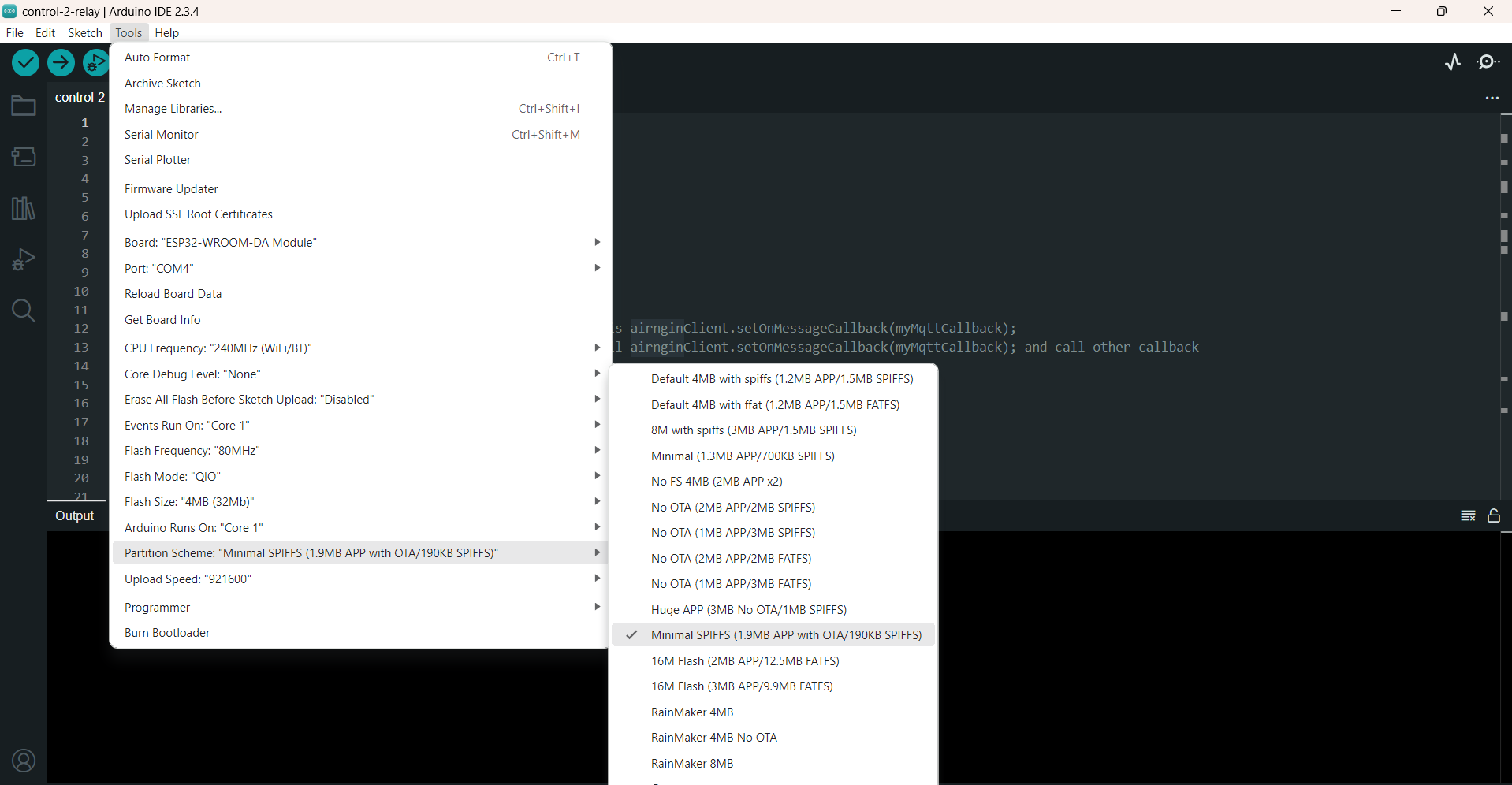
Please note that when initially programming the device, set the Partition Scheme option in the Tools menu to Minimal SPIFFS so that the maximum possible space is available for firmware updates.
After the tutorial videos above, now let's move on to the real world – I'll program my code onto an ESP32, connect it to my server using the mobile app, and then control it.
After the direct method, let's move on to controlling a real device using analysis files.